Studio Display (2026)
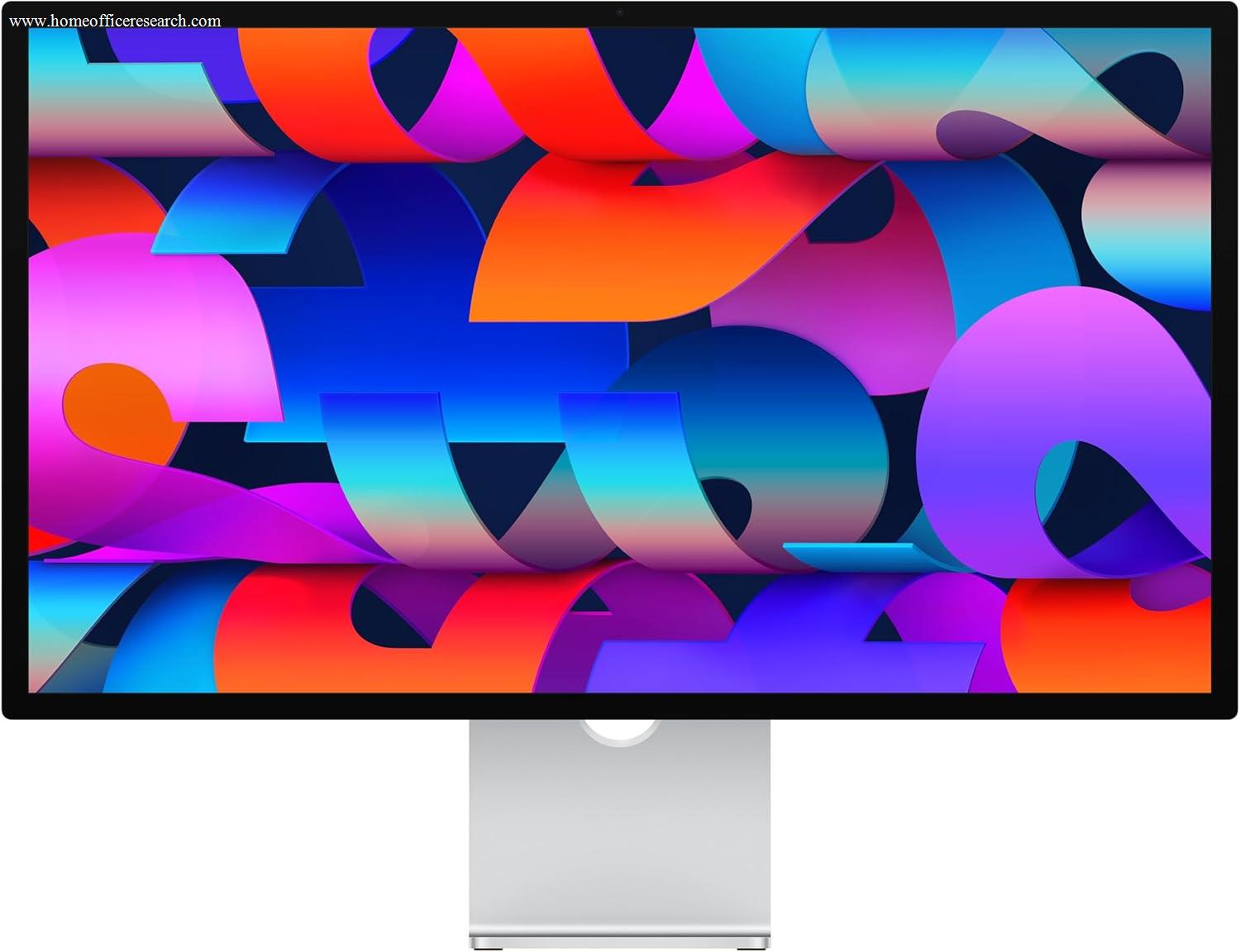
The Apple Studio Display earns S-tier image quality — 5K Retina at 218 PPI with P3 wide color and True Tone is genuinely exceptional, and the 2026 refresh improves the 12MP Center Stage camera (now with Desk View) and upgrades to Thunderbolt 5 on an already compelling package. But this is a Mac-only product in every meaningful sense: Center Stage, True Tone, Sidecar, and the unified display stack all require macOS. At its flagship price, it asks you to pay a significant premium for a 60Hz panel at a time when the Dell U3225QE delivers 120Hz, IPS Black, and Thunderbolt 4 at 140W for roughly half the price. For Mac users who value the ecosystem tightly — it earns its place. For everyone else, it doesn’t.
How We Scored It
Category Deep-Dives
Image Quality
9.8 / 10 30% weightingThe Studio Display’s 9.8 image quality score is not hyperbole — it reflects a panel combination that genuinely stands apart from anything else in our guide. At 5120×2880 (5K) across 27 inches, the pixel density reaches 218 PPI. At typical working distances of 24–30 inches, text is indistinguishable from print. There are no jagged edges, no visible subpixel structure, and no need for any scaling workaround — macOS renders natively at 5K, and the result is the sharpest document and text experience available in a standalone monitor.
P3 wide color gamut with factory calibration delivers accurate, saturated color across photography, video, and design work. True Tone — Apple’s ambient light sensing technology — adjusts white point in real time to match the color temperature of your environment, so the display feels natural under warm tungsten lighting as well as cool daylight. This is a software and hardware feature that only functions correctly on macOS; Windows users connected via Thunderbolt will see a static color profile with no dynamic adaptation.
At 600 nits, the Studio Display is bright enough for typical and moderately bright rooms — though it is a 600-nit SDR panel, not a high-brightness HDR display, so there is no elevated HDR peak. The anti-reflective coating is effective without introducing visible grain. The panel itself — it is worth noting clearly — is unchanged from the 2022 original model. Apple updated the webcam, audio, and connectivity in 2026; the display technology is the same IPS panel that shipped four years ago. That does not diminish its quality, but it does contextualize its flagship price against newer competition.
Bottom line on image quality: The highest image quality score in our guide. 5K at 218 PPI with P3 and True Tone is genuinely exceptional — not just a specification story. The panel deserves the 9.8 independent of every other trade-off this monitor makes.
Connectivity & Versatility
8.0 / 10 22% weightingThe 2026 refresh upgraded the Studio Display’s upstream connection from Thunderbolt 3 to Thunderbolt 5, which doubles the bandwidth ceiling and enables daisy-chaining of additional displays — a meaningful improvement for users with the latest M-series Macs. The 96W charging capacity handles most MacBook Air and MacBook Pro configurations without a separate power adapter, though users running a MacBook Pro 16-inch under sustained CPU and GPU load may find 96W insufficient for a full charge rate during heavy work. The Dell U4025QW’s 140W Thunderbolt 4 is the more capable charging implementation for the highest-demand portable workstations.
The downstream port configuration — one Thunderbolt 5 port plus two USB-C ports at 10Gbps — is capable but selective. The downstream Thunderbolt 5 port supports daisy-chaining additional displays and high-speed accessories at up to 120Gbps, but there is no USB-A and no Ethernet. For users who need to connect USB-A peripherals (older keyboard, mouse, USB drives, audio interface), a hub or adapter is required, which adds cable clutter at the very price point where you are paying for simplicity. The connectivity score of 8.0 reflects genuinely good Mac-to-monitor functionality — strong Thunderbolt 5 bandwidth and display daisy-chaining — held back by the absence of USB-A and Ethernet given the premium price.
It is important to state plainly: the Studio Display is functionally a Mac-only monitor. Its only video input is Thunderbolt — there is no HDMI and no DisplayPort. Connecting a Windows PC is technically possible over Thunderbolt/USB-C but loses True Tone, Center Stage, the microphone array integration, and software-controlled brightness. The 12MP Center Stage webcam — which automatically frames the subject using pan and zoom — operates on a local processor within the display and requires macOS to function. On Windows, it appears as a basic webcam with no auto-framing capability.
Bottom line on connectivity: Excellent for Mac users working within the Apple ecosystem — one cable, full charging, downstream USB-C hub, Thunderbolt 5 bandwidth. Genuinely poor for Windows users or anyone running a mixed-platform setup. The 8.0 score is conditional on Mac.
Value for Money
7.5 / 10 20% weightingThe value tension here is real and should not be softened. The Studio Display is a 60Hz monitor with a standard IPS panel. The Dell U3225QE — ranked #2 in our guide — delivers 120Hz, IPS Black (genuinely improved contrast over standard IPS), Thunderbolt 4 at 140W, 4K resolution, and the full UltraSharp feature set for roughly half the price. That is a 27″ 4K monitor that charges faster, refreshes twice as often, and delivers deeper blacks for far less.
The honest counterpoint is that the Studio Display is not primarily competing on specifications — it is competing on experience within the Apple ecosystem. The seamless Center Stage video calling, True Tone adaptation, Sidecar iPad integration, and the fact that the display is managed entirely through macOS System Settings without a separate OSD or software utility are genuine conveniences. The 5K resolution advantage over 4K is real and visible. The 6-speaker spatial audio system with a 3-mic array turns the Studio Display into a serious conferencing peripheral that most monitors cannot match. These are real features that add real value — to Mac users.
The 7.5 value score reflects the honest assessment that the Studio Display is priced as a luxury Mac accessory, not as a display competing on spec-per-dollar. For Mac users who intend to use this monitor for 3–5 years, the price amortizes to a reasonable monthly cost for the best possible Mac display experience. For Mac users who are price-sensitive, or anyone comparing it cross-platform, the score reflects the genuine mismatch between the price and the hardware specifications delivered.
Bottom line on value: Difficult to defend on raw specifications at its flagship price. Easier to justify as a complete Mac-first display and conferencing system. The right question is what the Mac ecosystem integration, 5K panel, and built-in webcam/audio system are worth to you specifically — the answer varies significantly by user.
Ergonomics & Build
8.0 / 10 15% weightingThe Studio Display’s build quality is impeccable — machined aluminum housing, a clean cable channel on the back of the stand, and the same industrial design language as Apple’s Pro display line. The finish is visually distinctive and physically solid. However, the standard stand offers tilt adjustment only. There is no height adjustment, no swivel, and no pivot. For a monitor at this price, the absence of height adjustment is a meaningful ergonomic limitation. Ergonomic positioning of a monitor requires placing the top of the screen at or slightly below eye level — a standard that cannot be reliably achieved without height adjustment at every desk and chair configuration.
Apple sells a height-adjustable stand as a separate purchase — it costs a substantial amount extra, pushing the total higher before cables. Alternatively, a VESA mount adapter is available at added cost, which allows the use of a third-party monitor arm but still requires an additional purchase that should arguably be standard at this price point. The ergonomics score of 8.0 acknowledges excellent build quality and premium materials while penalizing a stand design that requires spending extra to achieve basic ergonomic adjustability.
Bottom line on ergonomics and build: Outstanding build quality; genuinely inadequate stand for the price. Budget for a VESA adapter if you use this monitor as a primary display — failing to position a monitor at the correct height will cause neck strain regardless of how good the panel is.
Eye Comfort
9.5 / 10 8% weightingThe Studio Display’s eye comfort score is among the highest in our guide. True Tone is the standout feature: real-time white point adaptation based on ambient light means the display color temperature shifts naturally as lighting conditions change throughout the day, reducing the visual jarring of a cold-white display in warm room lighting. This is a hardware-plus-software integration that no Windows-compatible monitor currently replicates at this level of seamlessness — it requires both the ambient light sensor array and macOS system integration.
The backlight is flicker-free with DC dimming across the full brightness range, eliminating PWM cycling as a source of eye fatigue. The minimum brightness floor is low enough for comfortable use in dim evening environments. The nano-texture glass option (available at additional cost) dramatically reduces reflections in challenging high-ambient-light environments — though the standard matte coating is effective for most home office conditions. At 218 PPI, the extreme sharpness also contributes to reduced eye strain: the visual system works less to resolve sharp edges on text and fine UI elements at 5K than at lower pixel densities.
Bottom line on eye comfort: True Tone, flicker-free backlight, high pixel density, and an effective anti-reflective coating make the Studio Display among the most comfortable panels available for extended use. The 9.5 score reflects genuine hardware capability, not marketing language.
Refresh Rate & Responsiveness
6.5 / 10 5% weightingThe Studio Display runs at 60Hz, which is the same refresh rate as the 2022 original model — the 2026 refresh did not address this. At its price, competing with monitors that offer 120Hz at a similar or lower price, 60Hz is a legitimate limitation. The difference between 60Hz and 120Hz is perceptible in everyday productivity use: scrolling through long documents, moving windows, and cursor tracking all feel demonstrably smoother at 120Hz. This is not a gaming-only concern — it affects daily workflow comfort for anyone who has used a 120Hz monitor and returned to 60Hz.
Apple offers ProMotion adaptive refresh rate technology in its MacBook Pro displays and iPad Pro — the same technology is conspicuously absent from the Studio Display, which remains fixed at 60Hz. There is no technical barrier preventing Apple from implementing ProMotion in an external display; its absence at this price point is a product positioning decision, and one that the 6.5 refresh rate score reflects honestly.
Bottom line on refresh rate: 60Hz at this price is genuinely hard to justify in 2026. The Dell U3225QE offers 120Hz for roughly half as much, and the similarly-priced Dell U4025QW offers 120Hz on a 40-inch 5K2K panel. The Studio Display’s 60Hz ceiling is the single most significant hardware limitation at its price.
About the Manufacturer
Inc
Apple Inc. was founded in 1976 by Steve Jobs, Steve Wozniak, and Ronald Wayne, initially selling personal computers. The company grew into one of the world’s most valuable technology companies through a series of transformative product lines: the Macintosh in 1984, the iPod in 2001, the iPhone in 2007, and the iPad in 2010. Apple’s approach to hardware has consistently emphasized tight integration between its software and hardware, selling complete systems rather than commodity components.
The Studio Display was introduced in March 2022 alongside the Mac Studio, positioned as an accessible professional display below the far pricier Pro Display XDR. The 2026 refresh improved the existing 12MP Center Stage camera with better image quality and added Desk View, upgraded connectivity to Thunderbolt 5 (with a downstream port that now supports daisy-chaining), and enhanced the speaker system, while retaining the original 5K IPS panel unchanged. Apple’s display line has historically reflected ecosystem integration priorities rather than pure specifications — the Studio Display is designed to be the optimal external display for Mac users, not the most competitive monitor on a specification comparison sheet.
Apple monitors are sold through Apple’s own retail and online stores, authorized resellers, and on Amazon. Apple provides a standard one-year warranty with optional AppleCare+ coverage, which extends hardware coverage and adds accidental damage protection.