ERGO M575S
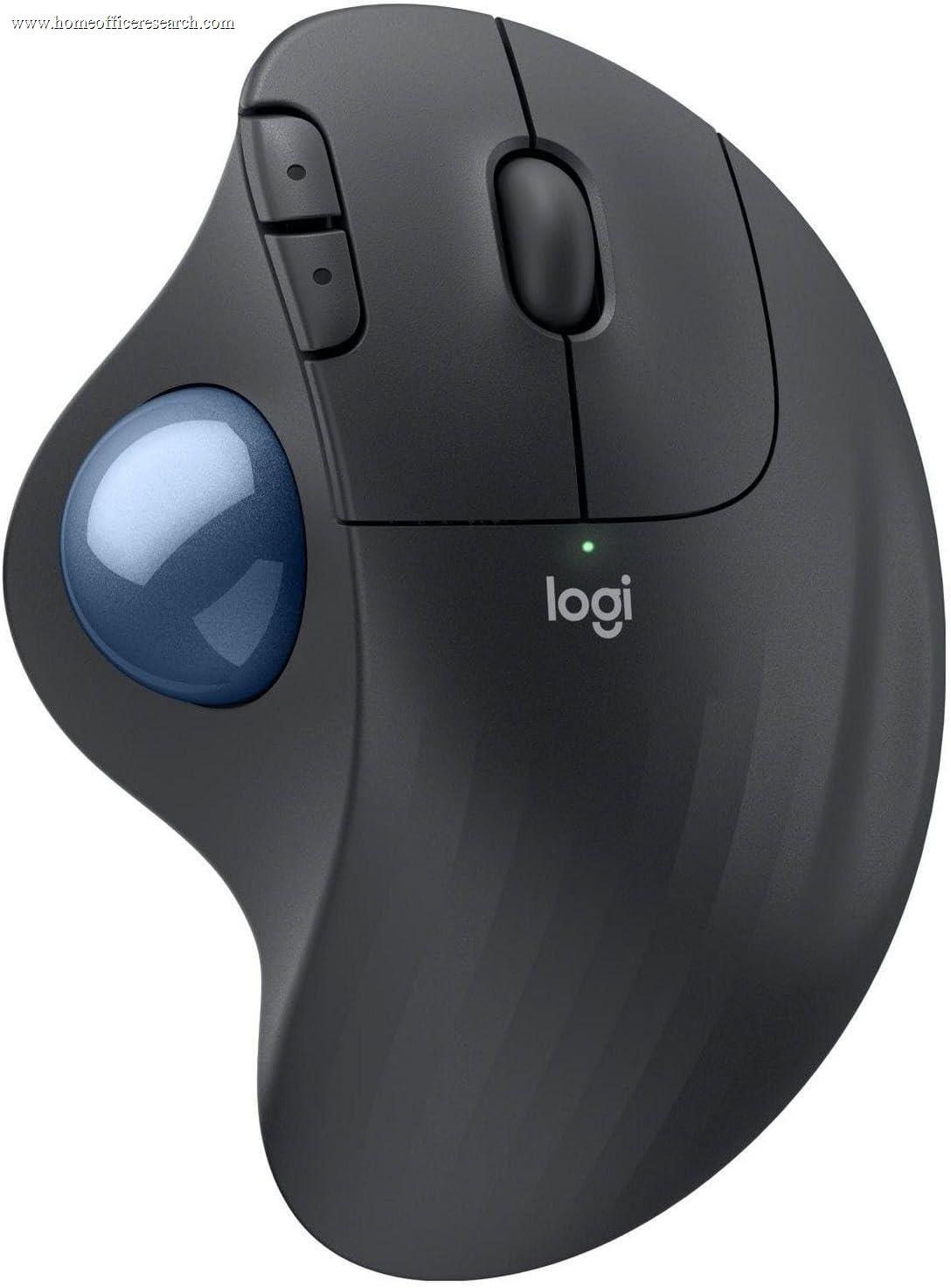
The Logitech ERGO M575S is the value entry point to the trackball — and the easiest way to find out whether a trackball is for you without a premium commitment. Like the flagship MX Ergo S, the body stays planted while your thumb rolls the ball, eliminating the arm and shoulder movement of a conventional mouse — ideal for tiny desks, standing desks, and shoulder strain. At roughly half the price it gives up the adjustable tilt plate, the rechargeable battery, and a few buttons, but the latest “S” revision adds Quiet Click switches, making it the best-value trackball in our guide. The same trackball caveats apply: a learning curve, and lower fine-pointer precision than a good mouse.
How We Scored It
Category Deep-Dives
Ergonomics & Comfort
7.5 / 10 30% weightingThe M575S delivers the fundamental trackball benefit in full: it stays stationary while your thumb moves the cursor, so the wrist, forearm, and shoulder barely move across a full day. For users whose discomfort comes from the repetitive reaching and dragging of a mouse — particularly shoulder strain — or who simply lack the desk space to push a mouse around, this is a genuinely effective ergonomic change, and the M575S provides it at a fraction of the flagship’s cost. The sculpted body supports the palm and angles the hand comfortably for thumb control.
Where it sits below the MX Ergo S is refinement rather than concept. The M575S has a fixed body angle — there is no adjustable hinge plate to add the 20° tilt the MX Ergo S offers, so you cannot dial in the reduced-pronation posture the premium model allows. The build is lighter and more plastic, though still solid and planted in use. The core no-movement ergonomics are essentially the same; what you give up is the adjustability and the premium feel.
As with any trackball, the same honest caveats apply: a one-to-two-week learning curve for thumb control, a minority of users who never warm to it, and right-handed-only operation. For the right buyer it is transformative; for someone without a space or shoulder constraint, a conventional or vertical mouse remains the easier fit.
Bottom line on ergonomics: The same effective no-movement trackball ergonomics as the flagship, in a fixed-angle, lighter body. The 7.5 reflects genuine relief — especially for shoulder strain and tiny desks — a half-step below the MX Ergo S only for its lack of adjustable tilt.
Tracking & Sensor
6.5 / 10 20% weightingThe M575S reads the ball with an optical sensor rated up to 2,000 DPI — the same ceiling as the MX Ergo S — which is sufficient for everyday office work: navigating documents, spreadsheets, browsers, and multi-monitor layouts. Tracking is accurate and consistent for general use, and the stationary operation is a genuine advantage on cramped, uneven, or non-flat surfaces where a mouse needs room to move.
It scores a half-step below the MX Ergo S here because it lacks the flagship’s dedicated precision-mode button — the one-touch DPI drop that makes fine, pixel-level placement easier on the more expensive model. Without it, the same inherent trackball trade-off (effortless large sweeps, but more deliberate effort for pixel-exact work) is a little less mitigated. As with all trackballs, this is not the tool for pixel-critical creative work like detailed retouching, and the 2,000 DPI ceiling is a real constraint on very high-resolution multi-monitor setups.
Bottom line on tracking: Accurate, consistent tracking for everyday office work, with the inherent trackball precision trade-off. The 6.5 reflects the 2,000 DPI ceiling and the absence of the MX Ergo S’s dedicated precision button.
Connectivity & Multi-Device
6.5 / 10 20% weightingThe M575S connects via the encrypted Logi Bolt receiver or Bluetooth, and runs on a single AA battery rated up to two years — no charging, ever, and a quick swap when it eventually runs down. For a stationary device that lives at one desk, that long, maintenance-free battery life is a practical strength.
The limitation relative to the rest of the line is multi-device flexibility. The M575S lets you pair a Bolt receiver and a Bluetooth connection, but it does not offer the same polished multi-device Easy-Switch experience as the MX models — there is no quick three-way device-cycling button, so moving between machines is more manual. For the typical trackball user working at a single fixed workstation this rarely matters, but it is a real step down from the MX Ergo S and the MX mice for anyone who actively hops between computers.
Bottom line on connectivity: Reliable Bolt-or-Bluetooth wireless with a no-charge, up-to-24-month AA battery. The 6.5 reflects more limited multi-device switching than the MX line — a minor concern for a device that usually stays at one desk.
Buttons & Scrolling
7.0 / 10 15% weightingThe M575S has a sensible five-button layout — left/right click, two thumb buttons, and a clickable scroll wheel — all remappable in Logi Options+. That is fewer than the eight buttons on the MX Ergo S, but it covers the essentials, and on a stationary trackball even a modest set of mappable buttons reduces reaching for the keyboard.
The headline improvement in the “S” revision is Quiet Click switches, which cut click noise by roughly 90% — the same upgrade that came to the MX Ergo S. That makes the M575S call-friendly out of the box, a meaningful improvement over the original M575 for anyone who takes video calls. The scroll wheel is a standard ratcheted wheel without a free-spin mode or tilt, which is expected at this price and works fine for normal scrolling.
Bottom line on buttons & scrolling: A practical five-button layout with the welcome addition of Quiet Click switches, making it call-friendly. The 7.0 reflects fewer buttons than the MX Ergo S and a basic (non-free-spin) scroll wheel.
Value
8.5 / 10 10% weightingThe M575S is about half the price of the MX Ergo S and is the most affordable way into a quality trackball from a major brand. For that price you get the complete core experience — stationary operation, sculpted comfort, Quiet Clicks, multi-year battery, and full Logi Options+ support. For a buyer who is curious about trackballs but not ready to spend flagship money, or who simply does not need the MX Ergo S’s tilt plate and rechargeable battery, the M575S captures the great majority of the benefit at a fraction of the cost.
This is exactly the “try it first” recommendation: if you adapt to thumb control and love it, you can later step up to the MX Ergo S for the tilt, extra buttons, and refinement; if a trackball turns out not to be for you, you have risked far less. That low-risk, high-capability positioning is why this is one of the strongest value scores in our guide.
Bottom line on value: The best value in the trackball category — the full core experience plus Quiet Clicks at roughly half the MX Ergo S’s price. The 8.5 reflects an excellent low-risk entry point into trackballs.
Software & Customizability
9.0 / 10 5% weightingLogi Options+ support is the same deep platform as the rest of the MX and ERGO line. All five buttons are remappable, with per-application profiles, adjustable DPI, Logitech Flow for multi-computer cursor and clipboard sharing, and Smart Actions for multi-step macros. Getting flagship-grade software on a budget device is a real differentiator from generic budget trackballs, which typically ship with crude or no configuration tools.
The 9.0 matches the rest of the line: the software experience is identical, with the very top score reserved for the MX Master 4’s exclusive haptic and Actions Ring features. Options+ must be installed to access the depth; without it the trackball still works as a capable standard pointer.
Bottom line on software: Full Logi Options+ support — per-app profiles, Flow, Smart Actions — on a budget trackball, a clear edge over generic rivals. The 9.0 matches its line-mates.
About the Manufacturer
tech
Logitech is a Swiss-American company founded in 1981 and one of the longest-established names in computer peripherals. It is the dominant maker of mainstream trackballs, anchoring the category with the premium MX Ergo series and the affordable ERGO M575 line.
The ERGO M575S, released in 2024, is a refresh of the popular M575 that adds Quiet Click switches while keeping the sculpted thumb-trackball shape, long AA battery life, and accessible price that made the original one of the best-selling trackballs on the market. It is supported by the same Logi Options+ software and Logi Bolt receiver standard as the rest of the family.
Logitech’s scale gives buyers broad availability, strong warranty support, and an ecosystem of interoperable peripherals — useful if you want an affordable trackball that still integrates with a Logitech keyboard and the Flow workflow.