Pebble 2 (M350s)
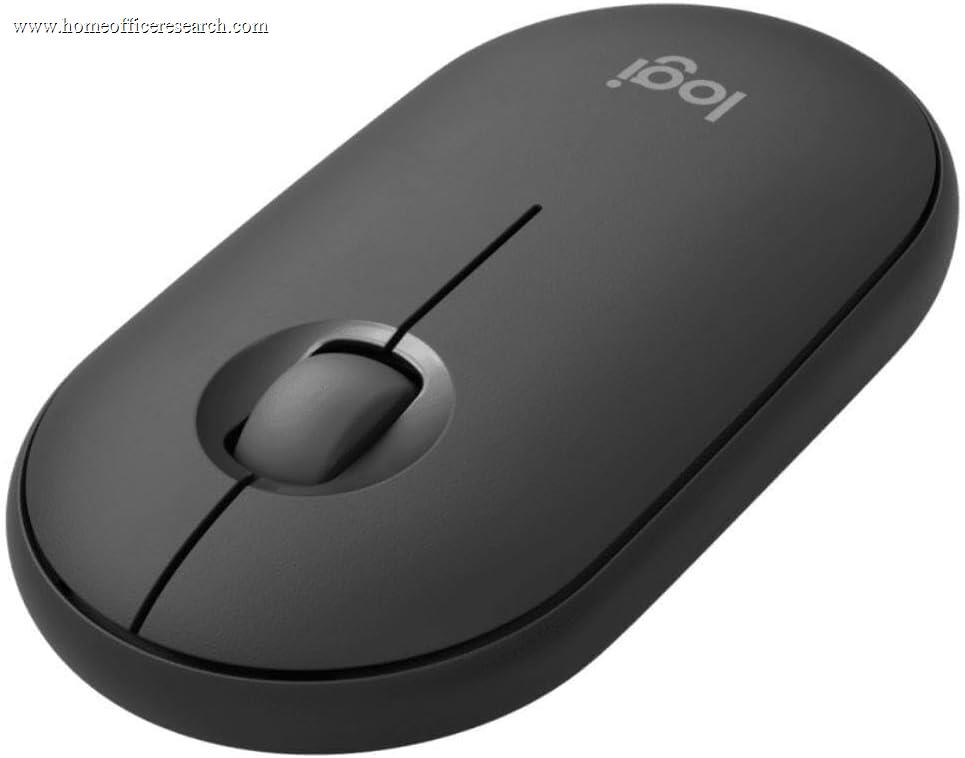
The Logitech Pebble 2 M350s is the ultraportable budget pick — a slim, lightweight, take-anywhere mouse at a budget price. It clicks quietly thanks to SilentTouch switches and pairs with up to three devices over Bluetooth via Easy-Switch (it also works with a Logi Bolt receiver, though that is sold separately), which is genuinely useful at the price. The trade-off is its shape: the flat, low-profile pebble body is built for portability and casual use, not for the palm support of all-day work. As a cheap, quiet, slip-in-a-bag second mouse — or a primary for light, space-constrained use — it makes sense; as a main mouse for eight-hour days, the contoured options above it are more comfortable.
How We Scored It
Category Deep-Dives
Ergonomics & Comfort
5.5 / 10 30% weightingThe Pebble 2 is defined by its slim, low-profile “pebble” shape — a flat, rounded body that prioritizes portability above all. It slips easily into a laptop bag or jacket pocket and weighs just ~76g, which is exactly what you want from a travel or grab-and-go mouse. For short sessions, casual browsing, and on-the-move use, it is perfectly pleasant, and the smooth ambidextrous shell works for either hand.
What it is not is an all-day ergonomic tool. The flat top offers little palm support, so the hand rests in a flatter, more pinched posture than on a contoured mouse, and over a long working day that is noticeably less comfortable than the sculpted Signature M650 or the premium MX shapes. This is an inherent trade of the pebble form factor — you accept reduced ergonomics in exchange for slimness and pocketability. For the use case it is designed around, that trade is reasonable; as a primary eight-hour-a-day mouse, it is the weakest ergonomic choice among the conventional mice in our guide, which is what the 5.5 reflects.
Bottom line on ergonomics: A slim, pocketable shape that is great for travel and casual use but offers little palm support for long sessions. The 5.5 reflects portability-first ergonomics — comfortable in short bursts, tiring as an all-day primary mouse.
Tracking & Sensor
6.0 / 10 20% weightingThe Pebble 2 uses a basic optical sensor adjustable up to 4,000 DPI in Logi Options+, which is entirely adequate for its intended use — browsing, email, document navigation, and general everyday tasks. Tracking is reliable on a normal desk or mousepad and perfectly fine for the casual and travel scenarios this mouse targets.
It is a straightforward budget sensor, with the expected limitations: no Darkfield glass tracking, and tracking quality that, while consistent, is a step below the precision and surface-versatility of the premium models. For light office work this is a non-issue; for demanding multi-monitor or precision tasks, a more capable mouse is the better tool. The 6.0 reflects a sensor that is fully sufficient for the Pebble 2’s purpose without exceeding it.
Bottom line on tracking: A dependable budget optical sensor, fully adequate for casual and travel use on a normal surface. The 6.0 reflects no glass tracking and a precision ceiling below the premium models — fine for its purpose.
Connectivity & Multi-Device
6.5 / 10 20% weightingThis is where the Pebble 2 over-delivers for its price. It pairs over Bluetooth with Easy-Switch across up to three devices — genuinely useful multi-device flexibility that more expensive mice sometimes lack, and a natural fit for a portable mouse you might use with a laptop, tablet, and phone. It is also compatible with a Logi Bolt receiver, though — unlike most of Logitech’s current lineup — that receiver is sold separately rather than included in the box. Broad OS support (Windows, macOS, iPadOS, Android, ChromeOS) reinforces its travel-companion positioning.
It runs on a single AA battery rated up to two years, so there is no charging to worry about on the road. The 6.5 reflects that this is strong connectivity for a budget mouse — better multi-device support than some pricier options — held back only by the fact that it ships Bluetooth-only (the Logi Bolt receiver is sold separately, and it is the prior-generation USB-A form) and by the absence of the premium models’ refinements.
Bottom line on connectivity: Three-device Easy-Switch over Bluetooth (with an optional, separately sold Logi Bolt receiver), plus a no-charge AA battery and broad OS support — excellent for a budget travel mouse. The 6.5 reflects strong-for-the-price connectivity, with the separately sold receiver as the main caveat.
Buttons & Scrolling
5.5 / 10 15% weightingThe Pebble 2’s standout feature here is its SilentTouch clicks, which cut click noise by roughly 90% — so this budget mouse is genuinely quiet and call-friendly, which is a real plus for a device often used in shared spaces, cafés, and libraries. The quiet operation matches its slim, unobtrusive character.
The control set, however, is minimal: just three buttons (left, right, and a customizable middle click) and a basic ratcheted scroll wheel with no tilt or free-spin mode. There is no horizontal scrolling and only one button to remap, so workflow customization is limited compared with the five-plus-button mice above it. For casual navigation this is enough; for anyone who relies on side buttons or advanced scrolling, it will feel sparse. The quiet clicks lift this category; the bare-bones button-and-scroll layout keeps it at 5.5.
Bottom line on buttons & scrolling: Genuinely quiet SilentTouch clicks on a budget mouse, but a minimal three-button layout with a basic scroll wheel and no side buttons. The 5.5 reflects quiet operation paired with a bare-bones control set.
Value
8.0 / 10 10% weightingThe Pebble 2 is strong value for what it is: a quiet, slim, multi-device wireless mouse from a major brand with full Logi Options+ support and a two-year battery. Getting SilentTouch clicks and three-device Easy-Switch at this price is genuinely good, and for a buyer who wants a cheap, portable second mouse — or a primary for a child, a travel kit, or a tightly space-constrained setup — it delivers exactly what is needed without overspending.
The value is judged against its purpose, not against premium mice: you are buying portability and quiet operation on a budget, not all-day ergonomics or advanced features. Within that framing it is an easy recommendation, which is why value is its strongest category. Buyers who want a comfortable all-day primary mouse should spend a little more on the Signature M650; those who want premium capability are in MX territory.
Bottom line on value: Strong value as a quiet, portable, multi-device budget mouse — SilentTouch and three-device switching at this price is a lot for the money. The 8.0 reflects excellent value for its purpose, with the M650 the better buy for an all-day primary.
Software & Customizability
7.0 / 10 5% weightingThe Pebble 2 is supported in Logi Options+, which is unusual and welcome at this price — most budget mice ship with no software at all. You can remap the middle button, adjust DPI, and set basic preferences, with per-application options available.
The depth is naturally limited by the hardware: with only three buttons and a basic wheel, there is little to configure compared with a multi-button MX mouse, so Options+ has a small surface to work with here. The software quality is the same as the rest of the line; the Pebble 2 simply does not have many features for it to expose. The 7.0 reflects genuine Options+ support that exceeds budget-mouse norms, tempered by the minimal hardware.
Bottom line on software: Logi Options+ support is a nice bonus at this price, beyond what most budget mice offer. The 7.0 reflects real software support limited by a three-button hardware set.
About the Manufacturer
tech
Logitech is a Swiss-American company founded in 1981 and one of the longest-established names in computer peripherals. Its Pebble line occupies the slim, portable, style-conscious budget end of its mouse range, aimed at students, travelers, and users who want a quiet, pocketable mouse at a low price.
The Pebble 2 (M350s), released in 2023, refreshed the original Pebble with SilentTouch quiet clicks, three-device Easy-Switch, Logi Options+ support, and a recycled-plastic build, while keeping the slim profile and low price that defined the line. It is compatible with Logitech’s Logi Bolt receiver standard, though — unlike most of the modern lineup — the receiver is sold separately rather than bundled in the box.
Logitech’s scale gives buyers broad availability and reliable warranty support even at the budget end — relevant if you want an inexpensive, quiet travel mouse from a brand with a long track record rather than an anonymous generic.