U2723QE
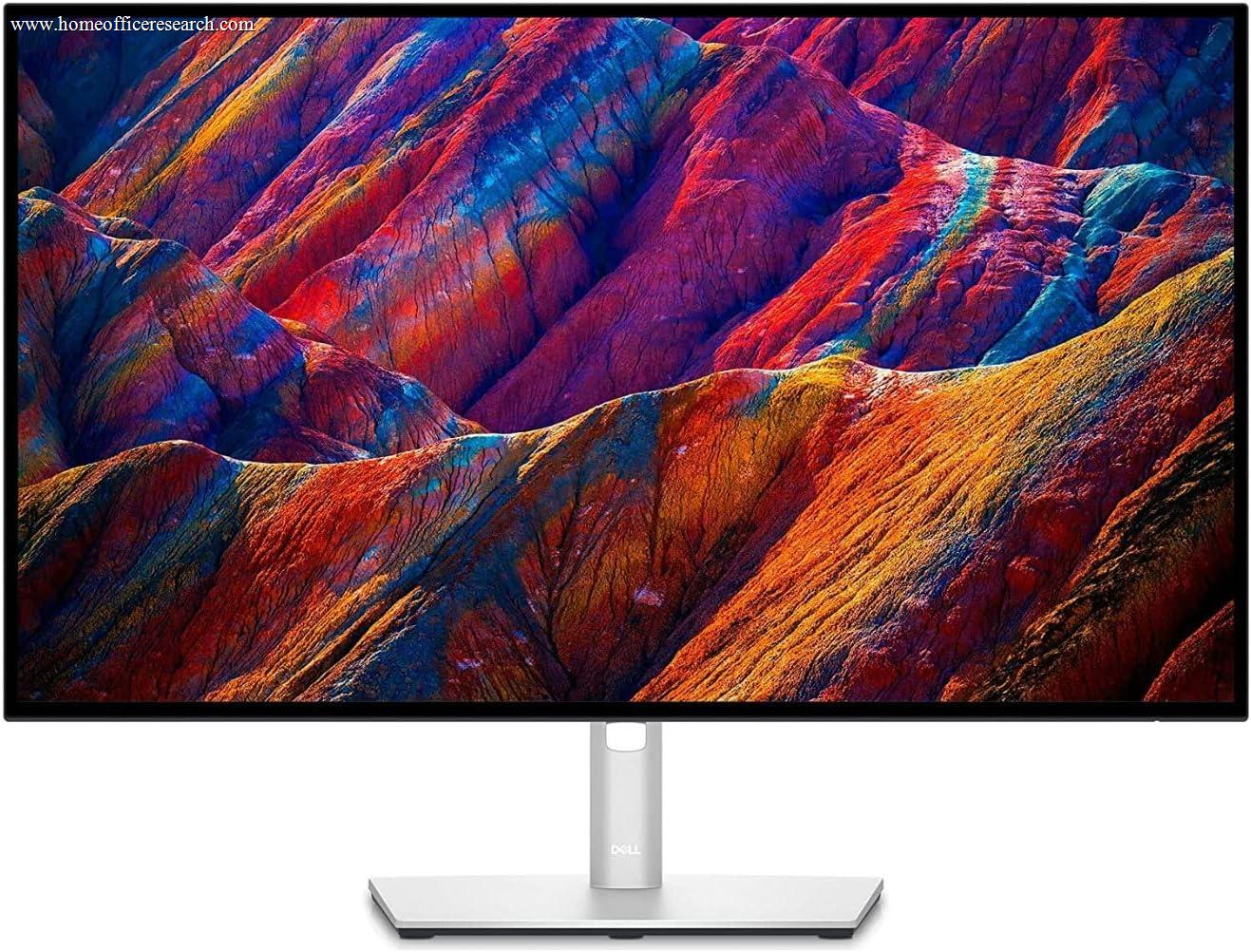
The Dell UltraSharp U2723QE is the most accessible entry point into Dell’s IPS Black and Thunderbolt 4 tier — the same foundational technologies that power the top two monitors in our guide, in a 27-inch 4K format that works at any desk depth and for any budget that can reach it. It represents strong value for the specification it delivers. The 60Hz refresh rate is the one visible concession relative to the U3225QE and U4025QW, and it is an honest trade-off at the price: everything else in this monitor — IPS Black contrast, 4K resolution, Thunderbolt 4, full stand adjustability — is at the same level as its more expensive siblings.
How We Scored It
Category Deep-Dives
Image Quality
9.0 / 10 30% weightingThe U2723QE uses the same IPS Black panel technology found in the U3225QE and U4025QW — a 2000:1 contrast ratio that meaningfully exceeds the 1000:1 of standard IPS. At 27 inches, the IPS Black advantage is visible and appreciated: dark UI elements in productivity software, code editor dark themes, and content with mixed light and dark elements all benefit from the deeper blacks. This is the same structural panel improvement, at a 27-inch size, that costs more in the larger formats — making the U2723QE the lowest-cost entry point to IPS Black performance in our guide.
At 4K (3840×2160) across 27 inches, the pixel density reaches approximately 163 PPI — the highest density of any monitor in our guide, and perceptibly sharper than the 32-inch and 40-inch models at closer viewing distances. Text rendering at 27 inches with 4K is among the crispest available in a desktop monitor, making it an excellent choice for users whose primary work involves reading and writing. macOS users in particular benefit from the 4K resolution at 27 inches: at the recommended 2x Retina scaling, the effective working resolution is equivalent to a 1440p monitor with substantially crisper rendering of all text and UI elements.
Color coverage reaches 98% DCI-P3 and 100% sRGB with factory Delta E calibration consistent with the rest of the UltraSharp line. Brightness is specified at 400 nits typical — lower than the 600-nit rating of the U3225QE and U4025QW, and a real consideration for brightly lit rooms where peak brightness matters. For typical home office lighting — windows with blinds, controlled overhead lighting — 400 nits is sufficient. In a sunlit room with no window treatment, it is not.
Bottom line on image quality: IPS Black at 4K in a 27-inch format is genuinely excellent — the highest pixel density in our guide and the same panel contrast technology as the top-ranked monitors. The 400-nit brightness ceiling is a real limitation for bright environments, but not a concern for most home office lighting conditions.
Connectivity & Versatility
8.5 / 10 22% weightingThe U2723QE provides Thunderbolt 4 at 90W upstream power delivery — a meaningful real-world constraint compared to the 140W available on the U3225QE and U4025QW. At 90W, the monitor can charge most laptops reliably under normal productivity workloads: a MacBook Air, MacBook Pro 14-inch, and most Windows ultrabooks are handled comfortably. The MacBook Pro 16-inch is where the difference becomes apparent — under sustained CPU and GPU load, 90W can fall short of the MBP 16’s peak power draw, resulting in the laptop drawing down its battery despite being connected. For most users this is not a daily concern, but it is worth understanding before purchase.
The USB hub provides four USB-A 3.2 ports — one more than the U3225QE’s three — making it slightly more generous for peripheral connections. One USB-C downstream port at 15W rounds out the hub. A single DisplayPort 1.4 input accommodates desktop GPU connections. The downstream Thunderbolt 4 port supports daisy-chaining an additional display, consistent with the rest of the UltraSharp E series. The absence of built-in Ethernet (present only on the U4025QW) and the lower charging wattage are the primary connectivity differentiators relative to the higher-ranked models.
For users without a MacBook Pro 16-inch — that is, for the majority of users — the 90W Thunderbolt 4 upstream port functions as an effective single-cable solution. The four USB-A ports provide ample peripheral connectivity, and the TB4 downstream port ensures the monitor is not a dead end for future display additions.
Bottom line on connectivity: Thunderbolt 4 with 90W charging is excellent for most laptops, with the notable exception of the MacBook Pro 16-inch under sustained load. The four USB-A hub ports are generous. The absence of built-in Ethernet and the wattage ceiling versus the U3225QE are the honest trade-offs at this price point.
Value for Money
8.2 / 10 20% weightingThe U2723QE is the strongest value proposition in the top tier of our guide. It delivers IPS Black contrast, 4K resolution, Thunderbolt 4, full stand adjustability, and a 3-year Advanced Exchange warranty at a price that undercuts the U3225QE and the U4025QW by a wide margin. For users who are not specifically seeking a 32-inch panel, a 40-inch ultrawide format, 120Hz, or built-in Ethernet and webcam, the U2723QE is where the specification-to-price ratio is most favorable in our monitor guide.
The 8.2 value score (versus 8.0 for the U3225QE) reflects this favorable positioning. The U2723QE does not score higher on value simply because it is cheaper — it scores higher because the trade-offs it makes to reach its price (60Hz instead of 120Hz, 27 inches instead of 32, 90W instead of 140W charging) are all legitimate and understandable concessions, rather than corners cut on the core display experience. The IPS Black panel and Thunderbolt 4 — the two features that most define the UltraSharp E series’ value proposition — are preserved at full specification.
Bottom line on value: The best value-to-specification ratio in our top tier. If you are choosing between the U2723QE and U3225QE purely on budget, the U2723QE is a strong default — and the price difference is meaningful. The U3225QE’s 120Hz and 32-inch size are genuine upgrades worth the premium if either matters to you.
Ergonomics & Build
9.0 / 10 15% weightingThe U2723QE ships with Dell’s full four-axis stand: height adjustment over 130mm, tilt from -5° to +21°, swivel ±30°, and 90° pivot for portrait orientation. At 27 inches, the pivot capability is highly practical — rotating the monitor to portrait produces a tall, high-resolution reading surface with 2160 pixels of horizontal width in portrait mode (equivalent to a very tall 1440p display). This is useful for long-form document reading, code review, and any workflow that benefits from seeing more vertical content without scrolling. VESA 100×100mm compatibility supports aftermarket arms for users who want to reclaim desk space or use a dual-monitor configuration.
Build quality is consistent with the UltraSharp standard: a well-finished matte chassis, minimal bezel on three sides, and a stable stand with no observable wobble. The U2723QE is lighter than the 32-inch models, making repositioning easier. The anti-glare coating is effective and not overly grainy. Panel uniformity is consistent with Dell’s quality control standards for the UltraSharp line — backlight uniformity in particular is well-controlled, without the perceptible hot spots or color shift toward screen corners that can appear in lower-quality panels.
Bottom line on ergonomics and build: Full four-axis adjustability including pivot, VESA compatibility, and the same build quality found in the larger UltraSharp models. The 27-inch form factor’s lighter weight and smaller footprint are practical advantages for constrained desk spaces or dual-monitor setups.
Eye Comfort
9.0 / 10 8% weightingThe U2723QE carries ComfortView Plus certification, implementing the same hardware-level low blue light filter present across Dell’s UltraSharp E series. As with the larger models, this means the blue light reduction operates at the panel level rather than through software color temperature adjustment — color accuracy is preserved for work that depends on it, while the short-wavelength emission associated with eye fatigue during extended sessions is reduced without degrading the visual experience.
The backlight is flicker-free via DC dimming, eliminating PWM cycling at all brightness levels. The minimum brightness floor is low enough to be comfortable in a darkened room — an important attribute for morning or evening work sessions where ambient light is reduced and monitor brightness needs to match it. ComfortView Plus and a flicker-free backlight are the substantive eye comfort features here; the U2723QE’s flat panel geometry (versus the U4025QW’s 2300R curvature) means it relies on appropriate viewing distance positioning for edge-focus comfort rather than panel curvature, but at 27 inches the viewing angle to screen edges is narrow enough that this is not a meaningful concern.
Bottom line on eye comfort: Hardware-level ComfortView Plus and a flicker-free backlight are well-implemented and genuine. At 27 inches, the viewing geometry to screen edges is comfortable without curvature — this is a monitor you can spend a full day in front of without discomfort, provided the brightness floor is used appropriately for ambient conditions.
Refresh Rate & Responsiveness
6.0 / 10 5% weightingThe U2723QE is rated at 60Hz — the one visible specification gap versus the U3225QE and U4025QW, both of which run at 120Hz. This is a real difference, and it is worth being direct about: 120Hz is perceptibly smoother in everyday use. Scrolling through long documents, moving windows, and cursor tracking all feel noticeably crisper at 120Hz. The U2723QE at 60Hz does not feel broken — it feels like a 60Hz monitor, which is how monitors operated as the baseline for most of the past decade. For users upgrading from any older display, 60Hz will not feel like a step backward. For users who have already experienced 120Hz as a baseline, stepping to 60Hz is noticeable.
It is worth noting that 60Hz is the reason the U2723QE can be priced below the U3225QE. The 120Hz panel requires a different backlight driver and panel specification that adds real cost at this size and resolution combination. For users for whom refresh rate is a secondary concern relative to panel quality, connectivity, or budget, the U2723QE makes a defensible choice and the 60Hz limitation affects only a small portion of the overall score.
Bottom line on refresh rate: 60Hz is the U2723QE’s only significant weakness, and it is the straightforward explanation for its #3 ranking versus monitors that are otherwise comparable. If 120Hz matters to you, the U3225QE is the right upgrade — but if you are choosing between 60Hz IPS Black and 60Hz standard IPS at this price, the U2723QE wins that comparison clearly.
About the Manufacturer
Tech
Dell Technologies was founded in 1984 by Michael Dell and has grown into one of the world’s largest technology companies. The UltraSharp monitor line represents Dell’s professional display tier — defined by factory color calibration, consistent panel quality control, and the Advanced Exchange Service warranty, which ships a replacement unit to the customer before the defective unit is returned.
The U2723QE was among the first monitors to bring IPS Black technology to the 27-inch form factor at an accessible price point, establishing it as the entry-level benchmark for the technology. It was introduced in 2022 alongside the launch of Dell’s broader IPS Black panel initiative across the UltraSharp lineup. The “QE” designation across the UltraSharp line indicates Thunderbolt 4 connectivity at the monitor’s upstream port — the feature that most distinguishes the E series from earlier UltraSharp generations. Dell monitors are sold through Dell’s own channels, authorized resellers, and on Amazon.