MX Vertical
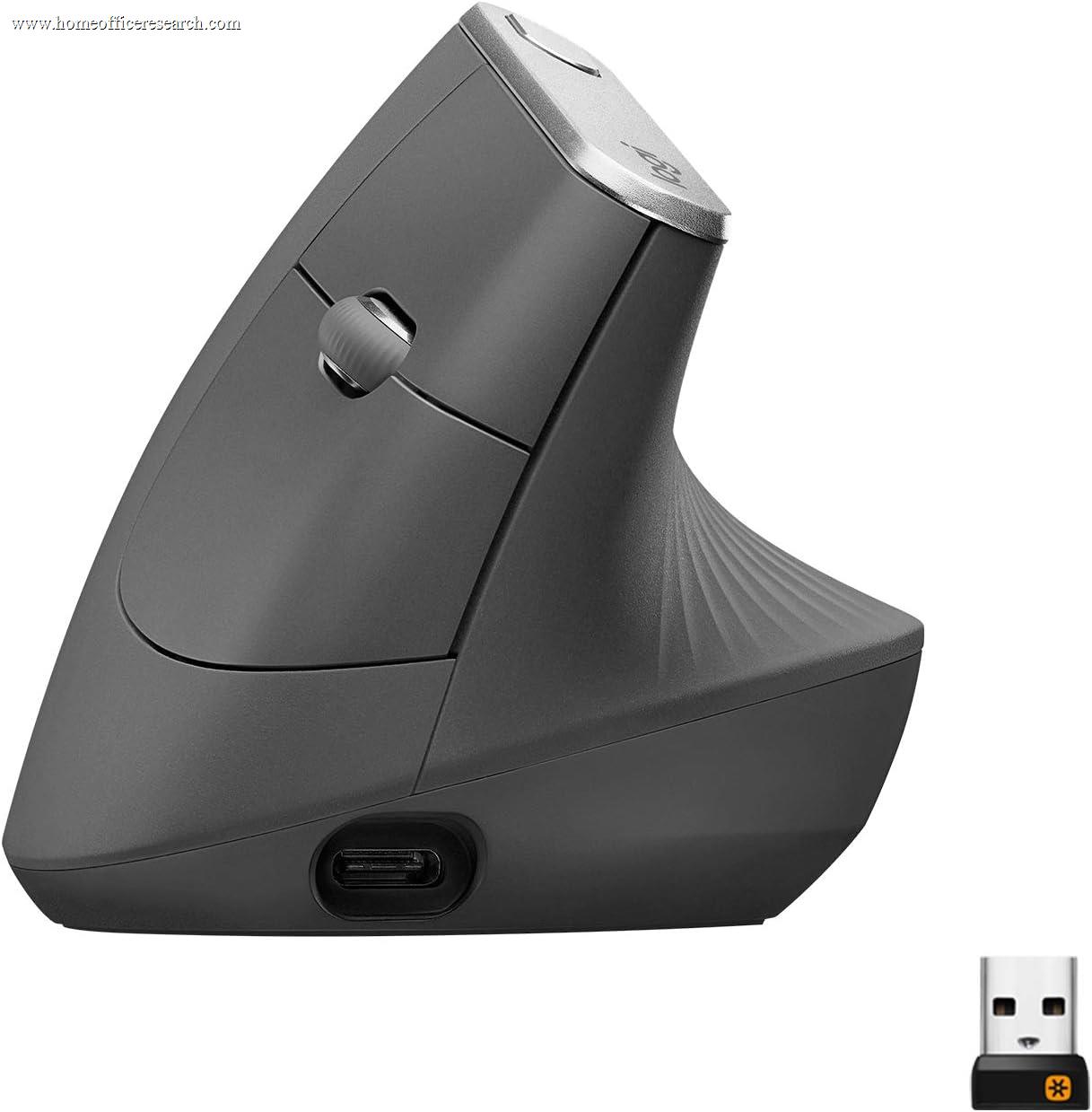
The Logitech MX Vertical is the top vertical mouse in our evaluation, and the one to consider if you have — or want to get ahead of — wrist or forearm strain. Its body holds the hand at a 57° “handshake” angle that reduces the forearm pronation a flat mouse forces, which for many users meaningfully eases discomfort over a long working day. It is not the mouse for everyone: it suits medium-to-large hands, requires a short adjustment period, uses a standard optical sensor rather than the MX line’s glass-tracking Darkfield, and clicks at normal volume rather than quietly. But as a targeted ergonomic tool, it is the most polished, best-supported vertical mouse on the market.
How We Scored It
Category Deep-Dives
Ergonomics & Comfort
8.5 / 10 30% weightingThe entire case for the MX Vertical is its geometry. A conventional flat mouse forces the forearm into pronation — palm rotated down toward the desk — which holds the two forearm bones crossed and loads the wrist. The MX Vertical’s 57° angle rotates the hand into a near-vertical “handshake” position that keeps the forearm closer to its neutral, thumb-up posture. For users experiencing the early signs of repetitive strain, or those who simply want to reduce daily load on the wrist, this is a genuine, structurally-grounded ergonomic benefit rather than a marketing claim.
The body is contoured to support the hand along its full length, with a textured grip surface and a thumb rest, and it is sized for medium-to-large hands — smaller hands are better served by the Logitech Lift, which uses the same vertical concept in a smaller shell. There is a genuine adjustment period of a few days to a couple of weeks: the cursor control muscles are different from a flat mouse, and precision dips before recovering. This is normal and expected, and the cursor-speed button helps by letting you drop the DPI for fine work during the transition.
The score is an 8.5 rather than higher for two honest reasons. First, a vertical mouse is a specialized tool — for a user with no discomfort and no interest in changing their grip, a flat productivity mouse like the MX Master is more immediately comfortable and versatile. Second, the right-handed, medium-to-large-hand sizing limits who it fits. But for its intended audience — anyone managing or preventing wrist and forearm strain — it is the most effective and refined option in our guide.
Bottom line on ergonomics: A structurally sound 57° design that genuinely reduces forearm pronation — the best vertical ergonomics in our evaluation. The 8.5 reflects real RSI-relief value for its audience, tempered by the adjustment period and the fact that a vertical mouse is a targeted tool rather than a universal pick.
Tracking & Sensor
7.5 / 10 20% weightingThe MX Vertical uses a 4,000 DPI high-precision optical sensor. For office work this is more than sufficient — most users will run well under 2,000 DPI — and tracking is accurate and consistent for documents, browsing, and multi-monitor cursor travel. The cursor-speed button on top toggles between DPI presets on the fly, which is useful both during the vertical adjustment period and for switching between precise and broad movement.
The reason this category scores 7.5 rather than the 9.0 the MX Master mice earn is the sensor type: the MX Vertical does not use Logitech’s Darkfield sensor, so it does not track on glass or high-gloss surfaces the way the Master and Anywhere models do. On a normal desk or mousepad it is excellent; on a glass desk it will struggle. If any-surface tracking matters to you, that is a real consideration — though many vertical-mouse buyers are choosing primarily for ergonomics and use a standard surface anyway.
As with the rest of the line, this is a productivity sensor at a standard report rate, not a gaming sensor — irrelevant for the office use this mouse targets, and doubly so given vertical mice are not aimed at gamers.
Bottom line on tracking: Accurate, consistent 4,000 DPI optical tracking that is more than enough for office work. The 7.5 — below the Darkfield-equipped Master and Anywhere models — reflects the absence of glass/any-surface tracking, the one tracking feature this mouse gives up.
Connectivity & Multi-Device
8.5 / 10 20% weightingThe MX Vertical connects via a Logitech USB receiver (Logi Bolt / Unifying depending on the unit) and Bluetooth, and pairs with up to three devices with Easy-Switch and Logitech Flow — the same multi-device flexibility as the rest of the MX line. For a user who works across more than one machine, this is the meaningful connectivity advantage, and it carries over fully to the vertical form factor.
Battery is rechargeable over USB-C and notably long-lived — Logitech rates it at up to roughly four months per charge, longer than the Master and Anywhere models, with the same one-minute quick-charge-for-three-hours behavior. The connectivity package is essentially on par with the MX Master 3S, which is why it scores the same 8.5: a reliable receiver-plus-Bluetooth, three-device switching, and excellent battery, with the same prior-generation USB-A receiver caveat on modern USB-C-only setups.
Bottom line on connectivity: Full MX-line multi-device wireless — three-device Easy-Switch, Flow, and a class-leading ~4-month battery. The 8.5 matches the MX Master 3S; only the USB-A receiver keeps it from the very top.
Buttons & Scrolling
7.0 / 10 15% weightingThe MX Vertical has a practical control set: left/right click, two thumb buttons (back/forward by default), a clickable scroll wheel, and the cursor-speed button on top — six controls in all, all remappable in Logi Options+. For everyday navigation and a handful of shortcuts this is perfectly adequate.
But this is the category where the vertical form factor and the mouse’s age show. There is no MagSpeed electromagnetic wheel and no dedicated thumbwheel — scrolling is a standard ratcheted wheel, without the free-spin flywheel or horizontal thumbwheel that make the MX Master series so strong for long documents and wide spreadsheets. More importantly for a home office, the MX Vertical predates Logitech’s Quiet Click rollout and uses standard click switches, so it is audibly clicky — a real drawback if you take a lot of calls or share a workspace and want call-quiet operation.
None of this undermines the mouse’s core ergonomic purpose, but it does mean that on pure features-and-acoustics the MX Vertical trails the newer MX mice. If quiet clicks are a hard requirement and you also want vertical ergonomics, the Logitech Lift (which has quiet clicks) is worth weighing against it.
Bottom line on buttons & scrolling: A functional six-button layout, but a standard scroll wheel and — notably — non-silent clicks. The 7.0 reflects the absence of MagSpeed scrolling, a thumbwheel, and quiet clicks; the vertical Lift is the quieter alternative if call noise matters.
Value
7.5 / 10 10% weightingThe MX Vertical is priced like a premium mouse, and the value question depends entirely on why you are buying it. If you need or want vertical ergonomics, it is well worth the price — it is the most refined, best-built, best-supported vertical mouse available, with multi-device wireless and Options+ software that budget vertical mice cannot match. Against the cost of wrist discomfort, the price of genuine relief is easy to justify.
If you are not specifically after a vertical mouse, the value proposition weakens: for the same money the MX Master 3S offers the Darkfield sensor, MagSpeed scrolling, a thumbwheel, and quiet clicks. So the MX Vertical is a strong value for its intended buyer and a poor value for someone who would be happier with a conventional mouse. The cheaper Logitech Lift also undercuts it for vertical buyers who want a smaller body and quiet clicks, which further narrows the MX Vertical’s ideal audience to medium-to-large-handed users who specifically want this larger, full-featured vertical design.
Bottom line on value: Excellent value if you specifically want a premium vertical mouse; mediocre value if you don’t. The 7.5 reflects the premium price against a niche purpose, with the cheaper Lift and the equally-priced MX Master 3S both relevant alternatives depending on your priorities.
Software & Customizability
9.0 / 10 5% weightingLogi Options+ support is the same deep, polished experience as the rest of the MX line. All six controls are remappable, with per-application profiles, adjustable DPI steps tied to the cursor-speed button, Logitech Flow for multi-computer cursor and clipboard sharing, and Smart Actions for multi-step macros. For a vertical mouse — a category where lesser competitors often ship with crude or no software — this level of customization is a genuine differentiator and part of what justifies the MX Vertical’s premium position.
The 9.0 matches the other non-flagship MX mice: identical software depth, with the very top score reserved for the MX Master 4 and its exclusive haptic and Actions Ring features. As always, Options+ must be installed to access the full feature set; without it the MX Vertical still works as a capable standard mouse.
Bottom line on software: The full Logi Options+ experience — per-app profiles, Flow, Smart Actions — which sets the MX Vertical apart from cheaper vertical mice. The 9.0 matches its MX-line siblings.
About the Manufacturer
tech
Logitech is a Swiss-American company founded in 1981 and one of the longest-established names in computer peripherals. Alongside the flat MX Master and MX Anywhere productivity mice, Logitech builds a small ergonomic line — the MX Vertical and the smaller Lift — for users prioritizing wrist and forearm comfort over conventional shapes.
The MX Vertical, introduced in 2018, was Logitech’s first premium vertical mouse and remains its flagship vertical model, sitting above the later, smaller Logitech Lift in size and feature set. Logitech developed the 57° angle with input from ergonomists, and the mouse has remained a steady recommendation in the vertical category, supported by the same Logi Options+ software and Logi Bolt receiver ecosystem as the rest of the MX range.
Logitech’s scale gives buyers broad availability, strong warranty support, and an ecosystem of interoperable peripherals — relevant if you want a vertical mouse that still integrates with a Logitech keyboard and the Flow multi-computer workflow.