PD2725U
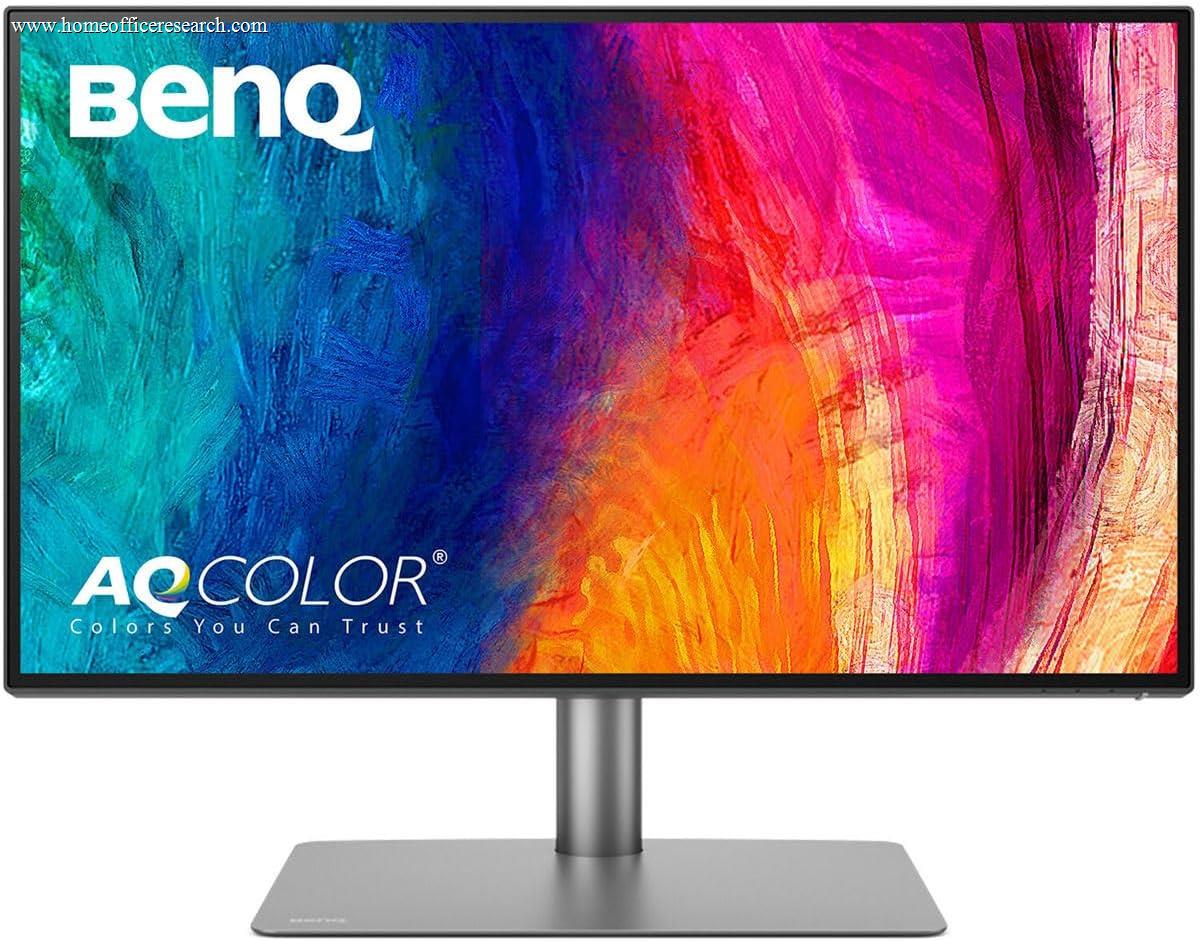
The BenQ PD2725U is a specialist tool, and it should be evaluated as one. Per-unit Calman Verified and Pantone Validated factory calibration (BenQ rates the panel to Delta E ≤ 3), 95% DCI-P3 with full sRGB coverage, and M-book mode optimized for MacBook color profiles make it a genuinely dependable display for color-managed work. It is not the widest-gamut panel in our guide, though — the ASUS ProArt PA279CRV covers more of both DCI-P3 and Adobe RGB at a tighter Delta E — so the PD2725U’s real edge is its individually-reported factory calibration and Mac-tuned workflow rather than raw gamut. For general productivity, the Dell U2723QE delivers IPS Black, Thunderbolt 4, and 90W charging for somewhat less. Know what you need before you buy.
How We Scored It
Category Deep-Dives
Image Quality
8.7 / 10 30% weightingThe PD2725U earns an 8.7 image quality score on the strength of its calibration credentials. Per-unit Calman Verified and Pantone Validated factory calibration is a meaningful distinction: each unit ships with an individual calibration report confirming its measured color accuracy (BenQ rates the panel to Delta E ≤ 3) before it leaves the factory. Delta E below 3 is the threshold at which color differences become difficult for an average viewer to perceive. This is not a sample-average specification — the report applies to the specific display you receive, a genuine advantage over monitors that publish only a model-average figure.
Color gamut coverage is strong: 95% DCI-P3 and 100% sRGB. (BenQ does not publish an Adobe RGB figure for the PD2725U, which sits in its design rather than photo line.) That makes the panel well suited to DCI-P3-based photo, video, and web work. It is not, however, the widest-gamut display in our guide: the ASUS ProArt PA279CRV reaches 99% DCI-P3 and 99% Adobe RGB at Delta E < 2, and the LG DualUp covers 98% DCI-P3 — so for the widest Adobe RGB print workflows, those panels cover more of the space. The Apple Studio Display scores higher at 9.8 image quality on its 5K pixel-density advantage.
The Aqcolor color management software — BenQ’s proprietary display management utility — allows hardware-level color profile switching, extended gamut control, and integration with external colorimeters for ongoing hardware calibration. M-book mode provides a specific color profile optimized for macOS display rendering, which reduces the color profile mismatch that sometimes occurs when a professionally calibrated display interacts with macOS’s color management stack. At 4K (3840×2160) across 27 inches, pixel density is 163 PPI — sharp enough for text rendering to be excellent without the extreme density of the Studio Display’s 5K.
Bottom line on image quality: A dependable color-managed display whose standout is per-unit Calman Verified + Pantone Validated factory calibration with an individual report, rather than gamut width. At 95% DCI-P3 / Delta E ≤ 3 it is excellent for DCI-P3 and sRGB work, though the ASUS ProArt PA279CRV is the wider-gamut, tighter-Delta-E panel in our guide. For general productivity, the calibration depth exceeds what is necessary.
Connectivity & Versatility
6.5 / 10 22% weightingThe PD2725U’s connectivity score of 6.5 reflects the weakest area of an otherwise strong monitor, and the score is fair. The upstream Thunderbolt 3 connection delivers 65W charging — sufficient for MacBook Air and most 13-inch laptops, but insufficient for MacBook Pro 16-inch users who need 96W or 140W to maintain battery level under sustained load. Running a 16-inch MacBook Pro from the PD2725U’s Thunderbolt 3 port during demanding workflows will result in battery drain rather than charging. This is a limitation that affects a real segment of the display’s target audience — professional creative users often run high-spec MacBook Pros.
The downstream hub is modest: one Thunderbolt 3 downstream port (which enables daisy-chaining an additional display, a meaningful feature), two USB-A ports, and one USB-C at 10Gbps data. There is no Ethernet, no KVM switch, and no HDMI 2.1. DisplayPort 1.4 and HDMI 2.0 provide alternative video inputs for non-Thunderbolt sources. The USB hub is adequate for connecting a keyboard, mouse, and one or two USB peripherals, but users with more extensive peripheral configurations — audio interfaces, multiple USB drives, SD card readers — will need an additional hub. The connectivity score would improve with higher-wattage Thunderbolt and a more capable downstream hub; as shipped, it is a functional but not comprehensive docking solution.
Bottom line on connectivity: Thunderbolt 3 at 65W is the defining limitation — fine for thin-and-light laptops, insufficient for high-performance MacBook Pros under load. The daisy-chain downstream Thunderbolt 3 port is a genuine advantage for multi-display setups. Overall: functional, not generous. Budget for a supplementary USB hub if you have extensive peripheral needs.
Value for Money
7.0 / 10 20% weightingThe PD2725U’s value score of 7.0 requires context to be fully understood. It costs somewhat more than the Dell U2723QE. The Dell delivers IPS Black (improved contrast over standard IPS), Thunderbolt 4 (versus Thunderbolt 3), and 90W charging (versus 65W). For non-color-critical work, the Dell U2723QE is the better choice at the lower price — the connectivity advantages and improved panel contrast are more valuable to most home office users than factory calibration depth they will never fully utilize.
The value calculation shifts for color-critical work. The PD2725U pairs per-unit Calman Verified and Pantone Validated calibration with an individual factory report — a level of out-of-box, per-display color assurance most monitors in our guide do not provide, and a real benefit for photo retouching, video grading, or print preparation where predictable color matters. It is not the only color-capable option here — the ASUS ProArt PA279CRV offers a wider gamut (99% DCI-P3 / 99% Adobe RGB) and is often less expensive — but for buyers who specifically value per-unit calibration reporting and a Mac-tuned workflow, the BenQ’s premium over the Dell is reasonable. A poorly calibrated display costs more in rework time than the price difference between these monitors.
The 7.0 value score reflects a split verdict: strong value for the specific use case it is designed for; poor value for general productivity where calibration depth is unnecessary and the Dell’s connectivity advantages are more relevant. Understanding which side of that line your work falls on is the key to knowing whether the PD2725U belongs in your setup.
Bottom line on value: The right tool for color-critical work, priced competitively for what it delivers in that domain. The wrong tool for general productivity, where the Dell U2723QE is better connected and better contrasted for less money. Match the purchase to the workflow.
Ergonomics & Build
8.0 / 10 15% weightingBenQ has equipped the PD2725U with a fully articulating stand offering height adjustment, tilt, swivel, and pivot — all four ergonomic axes in a monitor designed for professional use. Pivot enables portrait rotation, which is useful in design workflows where tall document views or portrait-format reference images benefit from vertical screen orientation. The stand mechanism is smooth and well-damped, with sufficient friction to hold position without creep. VESA 100×100mm compatibility is present for users who prefer monitor arms.
Build quality reflects BenQ’s professional design line: the chassis is matte black plastic with minimal surface flex, clean cable management routing, and a stable base with sufficient footprint to prevent tipping. The USB-C upstream cable routes cleanly through the stand channel, contributing to a tidy desk setup. The bezel is moderately thin on three sides with a slightly wider bottom housing the input connections and OSD controls. The OSD is accessible via physical buttons on the bottom bezel — functional but slower to navigate than a joystick OSD. BenQ provides a factory calibration report in the box specific to the individual unit, which is a professional touch consistent with the product’s positioning.
Bottom line on ergonomics and build: Full four-axis stand adjustability including pivot, solid construction, and the professional detail of an individual factory calibration report included in-box. The 8.0 score reflects a well-executed ergonomic package with no significant omissions at this price tier.
Eye Comfort
8.5 / 10 8% weightingThe PD2725U scores 8.5 on eye comfort — strong across the board with a few specific highlights. The backlight is flicker-free with DC dimming, eliminating PWM cycling across the full brightness range. BenQ’s Eye-Care technology includes a hardware-level low blue light filter that operates without compromising sRGB color accuracy — a meaningful implementation detail for users who require both eye comfort features and color reference accuracy simultaneously. Most low blue light modes shift white balance and degrade color; BenQ’s implementation is engineered to maintain calibrated color while still reducing short-wavelength emission.
The minimum brightness floor is among the lower values in our evaluation, suitable for comfortable use in dim ambient light conditions. The anti-glare coating is effective at reducing diffuse reflections without the heavy grain visible in lower-quality matte coatings. For extended design and editing sessions — which this monitor’s user base is more likely to experience than general productivity users — the combination of flicker-free backlight, low blue light mode that preserves color accuracy, and a well-tuned coating makes the PD2725U a considered eye comfort package. The 8.5 reflects genuine effort in this category rather than checkbox compliance.
Bottom line on eye comfort: Flicker-free DC dimming, a low blue light implementation that maintains color calibration integrity, and a low minimum brightness floor. The 8.5 score reflects a thoughtfully designed eye comfort package that respects the color accuracy requirements of its target user.
Refresh Rate & Responsiveness
6.0 / 10 5% weightingThe PD2725U is a 60Hz panel, consistent with its positioning as a color-accurate professional display rather than a high-refresh productivity or gaming monitor. For the creative work this monitor is designed for — photo editing, video color grading, print layout — 60Hz is entirely adequate. The slow-scrolling, precision-editing nature of professional creative work places no particular demand on refresh rate, and the trade-off of 60Hz in exchange for the color accuracy depth of this panel is appropriate for its use case.
Where 60Hz is a real limitation is in general productivity and browser-based work, where the difference between 60Hz and 120Hz is perceptible during scrolling and window management. The Dell U3225QE and U4025QW both offer 120Hz at their respective price points, and users who split time between color-critical work and general productivity will notice the refresh rate gap when switching between tasks. The 6.0 score reflects the limitation honestly without over-penalizing a display for not optimizing a specification that conflicts with its core design purpose.
Bottom line on refresh rate: 60Hz is appropriate for professional color work and a genuine limitation for general productivity use. The PD2725U is correctly optimized for its intended use case — if your work is a mix of color-critical and general tasks, weigh the 60Hz ceiling against what you gain in calibration depth.
About the Manufacturer
Corp
BenQ Corporation is a Taiwanese technology company founded in 2001, headquartered in Taipei. BenQ is a subsidiary of the Qisda Corporation and operates across display technology, projectors, and interactive displays. The company’s monitor division has historically focused on specific use-case optimization rather than broad market positioning, resulting in distinct product lines for gaming (ZOWIE), photography and video production (PD/DesignVue), and general productivity.
The PD (ProDesign) series is BenQ’s professional designer display line, characterized by factory color calibration, broad gamut coverage, and integration with the Aqcolor color management platform. BenQ was among the early monitor manufacturers to adopt third-party Calman Verified calibration certification, which requires independent verification of each production unit’s color accuracy against published standards — a higher bar than self-certified Delta E specifications. The PD2725U represents the current mid-tier of the PD line, balancing Thunderbolt connectivity with professional calibration depth at a price point accessible to independent creative professionals.
BenQ monitors are sold through professional AV resellers, electronics retailers, and on Amazon. BenQ provides a three-year warranty on the PD series, with zero bright pixel guarantee — a significant reassurance for color-critical use where even a single bright sub-pixel would affect work quality. Hardware calibration is supported via compatible colorimeters from X-Rite and Datacolor through the Aqcolor software platform.