MX Ergo S
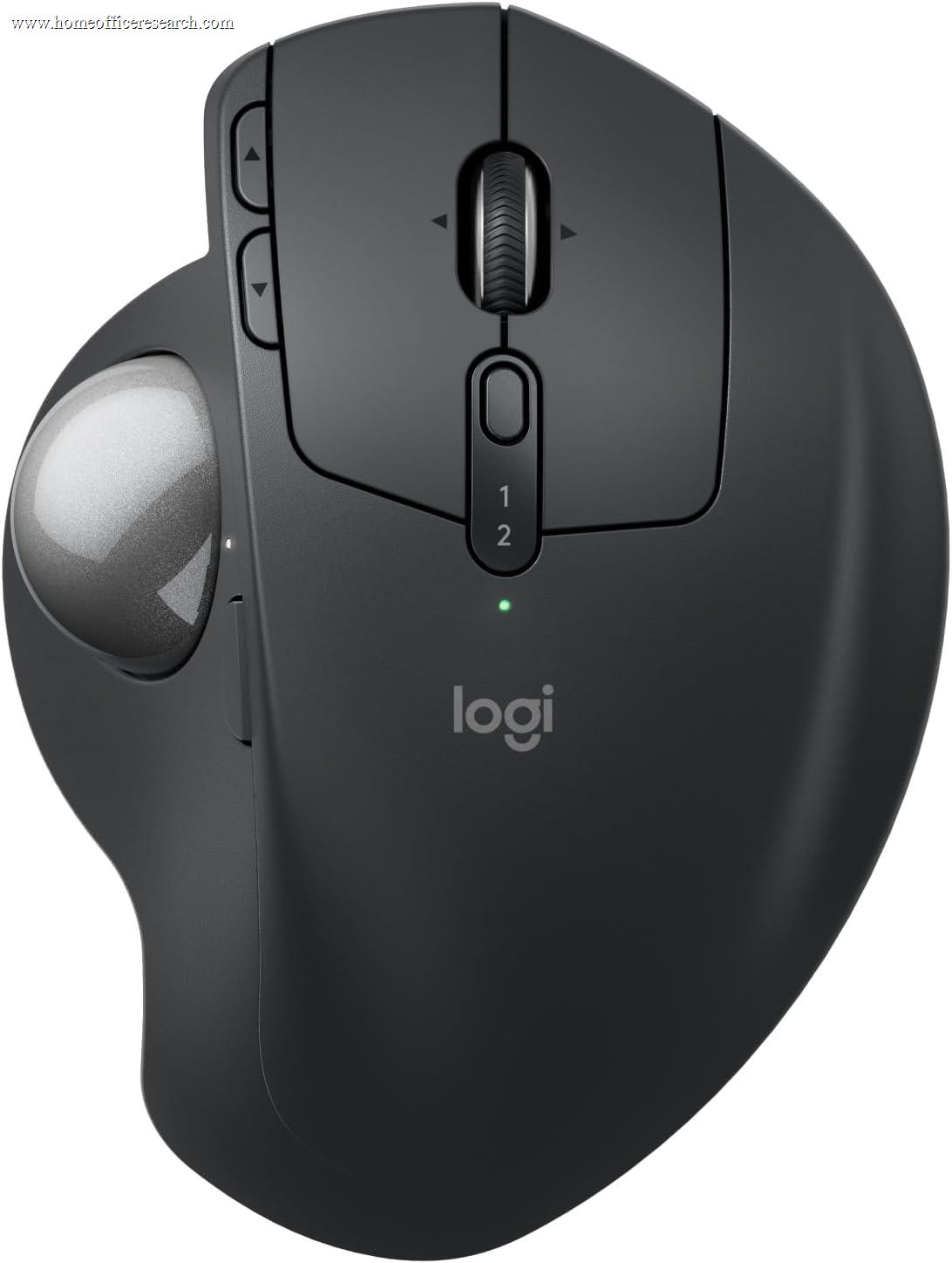
The Logitech MX Ergo S is the top trackball in our evaluation — and the right answer for a specific set of needs. Because the body stays planted and you steer the cursor with your thumb, it eliminates the arm and shoulder movement a conventional mouse requires, which makes it excellent for very small desks, standing desks, and anyone whose discomfort is in the shoulder rather than the wrist. An adjustable tilt plate, Quiet Click switches, eight programmable buttons, and multi-device wireless make it the most complete trackball you can buy. The trade-offs are real and inherent to the format: a genuine learning curve and lower fine-pointer precision than a good mouse.
How We Scored It
Category Deep-Dives
Ergonomics & Comfort
8.5 / 10 30% weightingA trackball solves a different problem than a vertical mouse. A vertical mouse changes the angle of the hand; a trackball removes the movement entirely. The MX Ergo S stays stationary on the desk while your thumb rolls the ball to move the cursor, so the wrist, forearm, and — importantly — the shoulder barely move during a full day of use. For users whose discomfort originates in the shoulder or upper arm rather than the wrist, this is the single most effective change in our guide, because it addresses the repetitive reaching-and-dragging that a mouse requires and a trackball does not.
The MX Ergo S adds a feature no other trackball at its level offers: an adjustable hinge plate that locks at either 0° or 20° of tilt. The 20° setting rotates the hand toward the same neutral, reduced-pronation posture a vertical mouse provides — so the MX Ergo S can deliver both the no-movement benefit of a trackball and a measure of the angle benefit of a vertical. The sculpted body supports the palm fully, and at 259g it is deliberately heavy: that weight keeps it planted while you push against the ball, which is exactly what you want from a device that never moves.
The honest counterweight, and why this is an 8.5 rather than higher, is the learning curve and the divisiveness of thumb control. Moving to thumb-driven cursor control takes most people a week or two, and a minority never fully warm to it or find sustained thumb use its own source of fatigue. It is also a desk-bound device only suited to right-handed use. For the right user it is transformative; for someone without a space or shoulder constraint, a conventional or vertical mouse is an easier fit.
Bottom line on ergonomics: The best trackball ergonomics available, with a unique adjustable tilt that combines no-movement operation with reduced pronation. The 8.5 reflects genuine, targeted relief — especially for shoulder strain and tiny desks — tempered by the real learning curve and the polarizing nature of thumb control.
Tracking & Sensor
7.0 / 10 20% weightingTrackball tracking is a different discipline from mouse tracking. The MX Ergo S reads the ball with an optical sensor running 512–2,048 DPI, with a dedicated precision-mode button that temporarily drops the speed for fine work — selecting a small cell, nudging a vector point, placing a cursor in dense text. That precision button is genuinely necessary, because thumb control trades some fine accuracy for its no-movement benefit: large cursor sweeps are effortless, but pixel-exact placement takes more deliberate effort than with a high-DPI mouse.
For the large majority of office work — navigating documents, spreadsheets, browsers, email, and multi-monitor layouts — the tracking is more than accurate enough, and the stationary operation is a genuine advantage on a cramped or uneven surface (it works fine on a couch arm or lap, where a mouse needs a flat surface). What it is not is a tool for pixel-critical creative work like detailed photo retouching or precise illustration; users in those workflows tend to keep a pen tablet or mouse alongside it.
The 7.0 reflects this honestly: the sensor and ball mechanism are well-executed and the precision button helps, but a trackball’s fine-control ceiling is inherently below that of a good mouse, and the relatively low maximum DPI is a real constraint on very high-resolution multi-monitor setups.
Bottom line on tracking: Accurate and consistent for everyday office work, with a useful precision-mode button — but inherently less pixel-precise than a good mouse, and capped at 2,048 DPI. The 7.0 reflects the trade every trackball makes to gain its no-movement benefit.
Connectivity & Multi-Device
7.5 / 10 20% weightingThe MX Ergo S connects via the encrypted Logi Bolt receiver and Bluetooth, and supports Easy-Switch and Logitech Flow. The one place it trails the rest of the MX line is device count: it pairs with two devices rather than three. For most trackball users — who tend to set it up at a single fixed workstation, which is the natural use case for a stationary device — two devices is sufficient, but it is a small step down from the three-device switching of the MX Master and Anywhere models.
Battery is rechargeable over USB-C and rated up to roughly four months per charge, comfortably long-lived. As with the rest of the line, the receiver is a USB-A Logi Bolt dongle, which is a minor friction on USB-C-only laptops. Cross-platform support spans Windows, macOS, Linux, iPadOS, and ChromeOS.
Bottom line on connectivity: Reliable Bolt-plus-Bluetooth wireless with Flow and a long ~4-month battery. The 7.5 reflects the two-device limit (versus three on the MX mice) — a minor constraint for a device that usually lives at one desk.
Buttons & Scrolling
8.5 / 10 15% weightingThe MX Ergo S is generously equipped with eight programmable buttons — left/right click, two thumb buttons, a clickable tilting scroll wheel (for vertical and horizontal scrolling), the precision-mode button, and a device-switch button — all remappable in Logi Options+. That is more on-board control than most of the mice in our guide, and it pairs naturally with the trackball’s stationary nature: since your hand does not move, having more functions under your fingers reduces the need to reach for the keyboard.
The “S” in the name marks this generation’s most home-office-relevant upgrade over the prior MX Ergo: Quiet Click switches that cut click noise by roughly 90%. That makes the MX Ergo S call-friendly out of the box, which the original MX Ergo was not — a meaningful improvement for a device aimed squarely at all-day desk users who take video calls.
What it does not have is a free-spinning MagSpeed flywheel; the scroll wheel is a standard ratcheted wheel with tilt for horizontal scrolling. For a trackball this is the expected design and works well, but it means rapid long-document scrolling is a touch less effortless than on a MagSpeed-equipped MX Master. The strong button count and the addition of quiet clicks are what earn this category an 8.5.
Bottom line on buttons & scrolling: Eight programmable buttons plus newly added Quiet Click switches make this a well-equipped, call-friendly trackball. The 8.5 reflects the generous controls and quiet clicks; only the absence of a MagSpeed free-spin wheel keeps it from the top.
Value
7.0 / 10 10% weightingThe MX Ergo S is the most expensive way into a trackball, and the value question mirrors the one for vertical mice: it is excellent value if you specifically want or need a premium trackball, and poor value if you are not committed to the format. For a shoulder-strain sufferer, a standing-desk user, or someone on a desk too small for a mouse, the adjustable tilt, quiet clicks, eight buttons, and Options+ software justify the price — nothing else in the trackball category is this complete.
If your needs are less specific, the math changes. Logitech’s own ERGO M575S delivers the core thumb-trackball experience for roughly half the price, giving up the adjustable tilt, the rechargeable battery, a couple of buttons, and some refinement. For a buyer who simply wants to try a trackball, the M575S is the smarter first step; the MX Ergo S is the upgrade for someone who knows they want the best trackball and will use its extra capability.
Bottom line on value: Strong value for a committed trackball user who will use the tilt, quiet clicks, and full button set; weaker value for the merely curious, who are better served by the half-price ERGO M575S. The 7.0 reflects a premium price against a niche, well-served purpose.
Software & Customizability
9.0 / 10 5% weightingLogi Options+ support is the same deep, polished experience as the rest of the MX line, and it is especially valuable on a trackball with eight buttons to assign. Every control is remappable, with per-application profiles, adjustable DPI tied to the precision button, Logitech Flow for multi-computer cursor and clipboard sharing, and Smart Actions for multi-step macros bound to a single button. The generous button count plus per-app profiles let a user offload a real chunk of their keyboard shortcuts onto the trackball — a natural fit for the format.
The 9.0 matches the other non-flagship MX models: identical software depth, with the very top score reserved for the MX Master 4’s exclusive haptic and Actions Ring features. As always, Options+ must be installed to unlock the customization; without it the trackball still works as a capable standard pointer.
Bottom line on software: The full Logi Options+ experience — per-app profiles, Flow, Smart Actions — which pays off especially well across the MX Ergo S’s eight buttons. The 9.0 matches its MX-line siblings.
About the Manufacturer
tech
Logitech is a Swiss-American company founded in 1981 and one of the longest-established names in computer peripherals. It is also the dominant maker of mainstream trackballs, with a lineup spanning the premium MX Ergo series and the more affordable ERGO M575 — effectively the two reference points the entire modern trackball category is measured against.
The MX Ergo S, released in 2024, is a refresh of the well-regarded MX Ergo, adding Quiet Click switches and USB-C charging while keeping the signature adjustable tilt plate and eight-button layout. It sits at the top of Logitech’s trackball range and is supported by the same Logi Options+ software, Logi Bolt receiver, and Flow multi-computer control as the rest of the MX family.
Logitech’s scale gives buyers broad availability, strong warranty support, and an ecosystem of interoperable peripherals — useful if you want a trackball that integrates with a Logitech keyboard and the Flow workflow rather than a standalone niche product.